Changes to my ThinkPad Setup: October 2025
Tags: ThinkPad Fedora
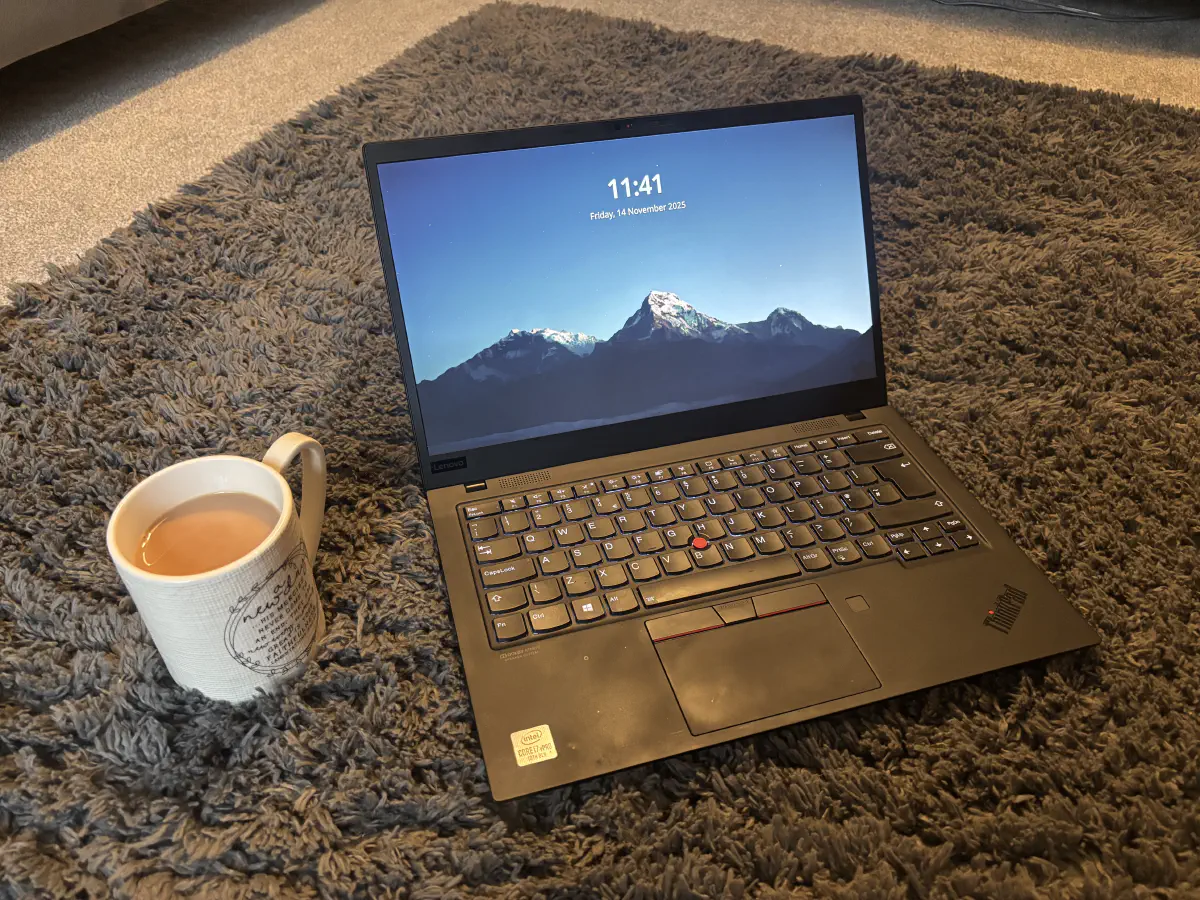
It’s been a while since I have written a post on my ThinkPad collections. In fact, it’s been a while since I have written anything on this blog for that matter.
What is new?
Well, back in September, I made the bold step and forked out the money to buy a second-hand X1 Carbon Gen 7 - a laptop I have wanted for a while now.
Now, I know many of those in the ThinkPad community probably won’t rate this laptop very well, mainly due to the fact that it’s got a lot of soldered-on components making it hard to upgrade hardware. But that is not why I bought it. I bought it for one reason only — portability! I’m very impressed with it - I far prefer using it over my personal 2019 13" MacBook Pro and my work 16
The X one carbon features a carbon chassis, which makes it extremely light and easy to carry around with you. This is particularly true when I go travelling, as I’d much rather carry this than my 16-inch work MacBook Pro — especially if I’m travelling on my bike.
As for my T470, I ended up selling it to a friend of mine as I no longer had a use for it. I’m currently struggling to sell my x240, so it looks like I might hold onto it for now. It had a headless Debian Trixie install on it to use primarily for CLI apps and networking tools. Update: I managed to sell it on eBay in the end.
So what’s new are the specs?
To save me typing out the specs by hand, here is a dump from fastfetch with retracted information:
             .',;::::;,'.                 ********@fedora
         .';:cccccccccccc:;,.             ---------------
      .;cccccccccccccccccccccc;.          OS: Fedora Linux 43 (KDE Plasma Desktop Edition) x86_64
    .:cccccccccccccccccccccccccc:.        Host: ********** (ThinkPad X1 Carbon Gen 8)
  .;ccccccccccccc;.:dddl:.;ccccccc;.      Kernel: Linux 6.17.5-300.fc43.x86_64
 .:ccccccccccccc;OWMKOOXMWd;ccccccc:.     Uptime: 10 days, 19 hours
.:ccccccccccccc;KMMc;cc;xMMc;ccccccc:.    Packages: 3118 (rpm), 4 (flatpak-system), 17 (flatpak-user)
,cccccccccccccc;MMM.;cc;;WW:;cccccccc,    Shell: fish 4.0.2
:cccccccccccccc;MMM.;cccccccccccccccc:    Display (AUO573D): 1920x1080 @ 60 Hz in 14" [Built-in]
:ccccccc;oxOOOo;MMM000k.;cccccccccccc:    DE: KDE Plasma 6.5.1
cccccc;0MMKxdd:;MMMkddc.;cccccccccccc;    WM: KWin (Wayland)
ccccc;XMO';cccc;MMM.;cccccccccccccccc'    WM Theme: Breeze
ccccc;MMo;ccccc;MMW.;ccccccccccccccc;     Theme: Breeze (Light) [Qt], Breeze [GTK3]
ccccc;0MNc.ccc.xMMd;ccccccccccccccc;      Icons: breeze [Qt], breeze [GTK3/4]
cccccc;dNMWXXXWM0:;cccccccccccccc:,       Font: Noto Sans (10pt) [Qt], Noto Sans (10pt) [GTK3/4]
cccccccc;.:odl:.;cccccccccccccc:,.        Cursor: breeze (24px)
ccccccccccccccccccccccccccccc:'.          Terminal: konsole 25.8.2
:ccccccccccccccccccccccc:;,..             CPU: Intel(R) Core(TM) i7-10610U (8) @ 4.90 GHz
 ':cccccccccccccccc::;,.                  GPU: Intel UHD Graphics @ 1.15 GHz [Integrated]
                                          Memory: 7.02 GiB / 15.24 GiB (46%)
                                          Swap: 1.47 GiB / 8.00 GiB (18%)
                                          Disk (/): 53.63 GiB / 154.24 GiB (35%) - btrfs
                                          Local IP (*********): ***.***.***.***/**
                                          Battery (5B10W13931): 97% [Discharging]
                                          Locale: en_GB.UTF-8
What OS do you use?
I’m still using Fedora, however I have switched to KDE Plasma over the flagship GNOME workstation version. Why? Because, like many others, I found GNOME lacked customisation. In order to make any customisation, you need to install a third-party extension. This just doesn’t feel right with me.
I was initially put off by KDE Plasma simply because it reminded me too much of Windows. Oh my, that was that a huge mistake! Since using the latest 6.4 version for a couple of months now, I am a huge advocate for it. It’s such a well-thought through desktop environment, featuring loads of high-quality software thanks to the KDE team.
One of my favourite features is KRunner (a Linux version of macOS spotlight search). It is incredible. I can access anything I need and set up custom search patterns using Alt+Space.
A few more of my favourite features include:
-
Panel and Widget Customisation
-
Virtual Desktops
-
KDE Connect
-
Activities
Overall, this ThinkPad was a fantastic buy, and I’m sure it will last for many more years to come.
comments powered by Disqus